Buy now Log in
English
Espanol Deutsch
MindFusion menu
  • Products
    • Suites
      • JavaScript
      • WinForms
      • WPF
      • .NET MAUI
      • Java
      • Diagramming
      • Scheduling
    • JavaScript
      • Diagram
      • Scheduler
      • Chart
      • Data Grid
      • Keyboard
      • Free JS Chart
    • ASP.NET MVC
      • Diagram
    • Blazor
      • Diagram
      • Chart
    • Java
      • Diagram
      • Scheduler
      • Chart
      • Spreadsheet
      • Keyboard
    • WinForms
      • Diagram
      • Scheduler
      • Spreadsheet
      • Chart & Gauge
      • Report
      • Map
      • Virtual Keyboard
      • Dock Control
    • WPF
      • Diagram
      • Scheduler
      • Gantt Chart
      • Spreadsheet
      • Chart & Gauge
      • Report
      • Map
      • Virtual Keyboard
      • UI
    • ActiveX
      • Diagram
    • .NET MAUI
      • Diagram
      • Scheduler
      • Chart
    • Android
      • Diagram
      • Chart
    • iOS
      • Diagram
    • WinUI
      • Diagram
    • WordPress
      • Org Chart Plugin
    • Applications
      • XML Viewer
      • InSight Diagrammer
  • Support
    • Forums
    • Documentation
    • FAQ
    • Help Desk
  • Company
    • About Us
    • Contacts
    • Blog
    • Newsletter
    • Services
    • Clients
    • Testimonials
    • Join Us
  • Downloads
  • Web Store
HomeProductsWPFMapping
OverviewSamplesDocumentationBuy

Countries

This sample shows the administrative division of world countries. You can select a different map from the list on the right. You can zoom down using the mouse wheel and pan the map by dragging with the left mouse button.
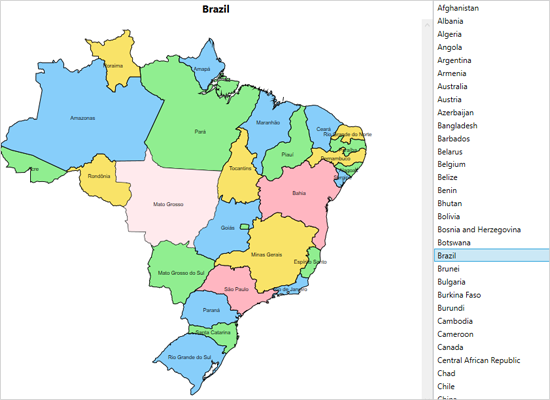
WPF Map Control: Countries
Run Download

Database

The sample shows data from the dbf database associated with a shapefile. Left-click on a country to show its data in the property grid to the right. Double click to render the Wikipedia article for the country. You can zoom and pan the map.
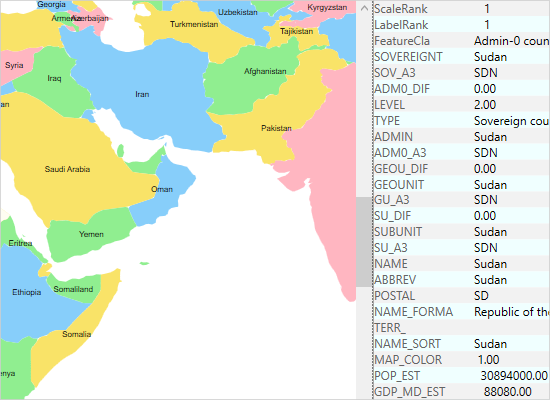
Database of Map Files for the WPF Control
Run Download

Explorer

Select a map from the list to load along with its associated database. Once the map is loaded, clicking on a database row highlights the corresponding map shape and highlights the row. You can use the mouse to zoom and pan the map.
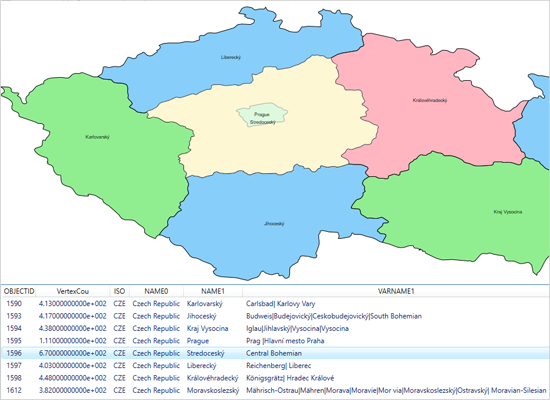
Country Explorer in the WPF Map Control
Run Download

Layers

The map control supports unlimited number of layers. This sample shows you how to apply several layers on a single map, how to turn them on and off. Users can zoom and pan the map.
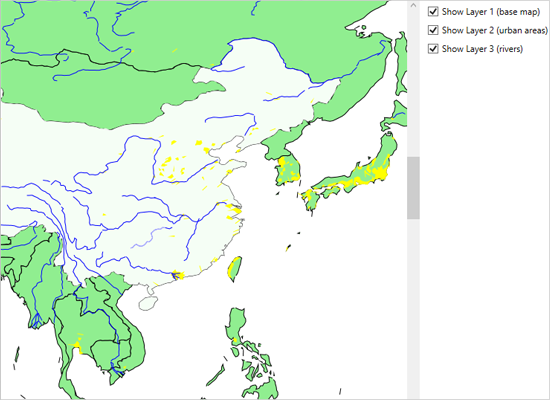
WPF Map Control: Map Layers
Run Download

Markers

The example shows how to add custom markers to a map using a decoration layer. The DecorationImage and DecorationBubble objects can be associated with given latitude and longitude. The map can be panned and zoomed.
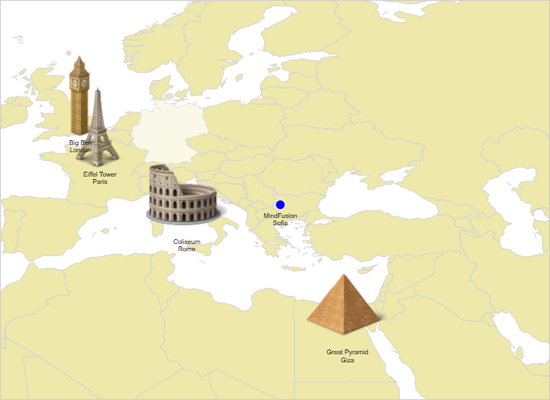
Markers on a WPF Map
Run Download

Palette

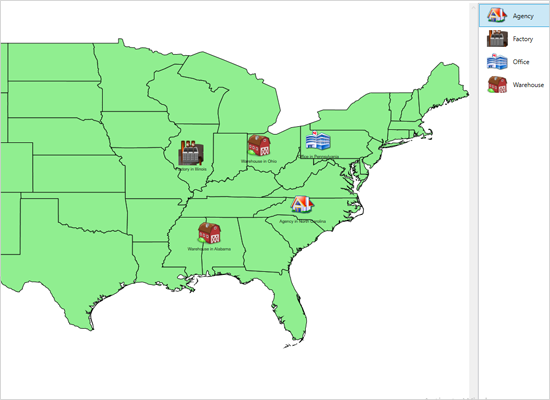
The sample shows how to implement drag and drop from a list of images to a map view. Click on an image from the list to the right, and drop it onto the map to create a decoration. You can zoom and pan the map with the mouse.

Icon Palette in a WPF Map
Run Download

MindFusion.WPF Pack

  • Diagramming
  • Scheduling
  • Spreadsheets
  • Charting
  • Reporting
  • Mapping
  • Virtual Keyboard
  • UI

    News

  • A complete guide for building any type of circuit diagram, electricity schema or home appliances flowchart in JavaScript with the diagramming library.

    Feb 20th, 2026

  • Learn to go from the starter JavaScript Diagram template to a custom app with real-time styling, custom shapes, and save/load functionality.

    Jan 20th, 2026

  • Learn how to build a real-time, collaborative mind map app from scratch using Node.js, Socket.IO, Vite and the JavaScript diagram library.

    Jan 13th, 2026

    Components

  • JavaScript
  • WinForms Pack
  • WPF Pack
  • .NET MAUI Pack
  • Java
  • Diagramming Pack
  • Scheduling Pack

    Get Products

  • Direct Downloads
  • License Scheme
  • XML Viewer

    Get Support

  • Forum
  • E-mail
  • Online Documentation
  • FAQ
  • Help Desk

    Company

  • Clients
  • Testimonials
  • About Us
  • Services
  • Contacts
  • Online Store
  • Blog
  • News Feed
  • Newsletter
  • E-mail: info@mindfusion.eu
    Phone: +359 889 199 729
    Fax: +359 2 931 54 38

Terms of Use Site Map Contact Us
Copyright © 2001-2018 MindFusion LLC. All rights reserved.