



The Overview control provides a scaled-down view of a DiagramView contents and allows scrolling and zooming the diagram with the mouse.
Namespace: MindFusion.Diagramming.WinForms
Assembly: MindFusion.Diagramming.WinForms.Controls
 Syntax
C#
 Copy Code Copy Code
|
|---|
public class Overview : Control |
| Visual Basic
Copy Code
|
|---|
Public Class Overview |
Remarks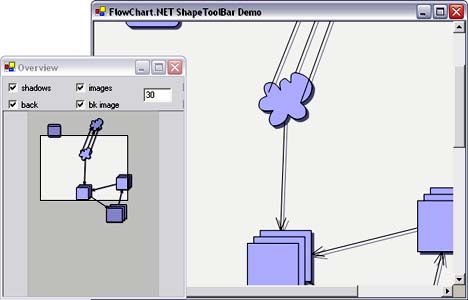 To use the Overview control, select "Customize" from the Visual Studio toolbox context menu and add a reference to MindFusion.Diagramming.WinForms.Overview.dll. Now the Overview control appears in the toolbox - select it and draw on a form to create its instance.
To specify which DiagramView instance is shown in the overview, set the DiagramView property. After adding a DiagramView or an Overview instance to a form, you might have to close and reopen that form, to make the property browser's drop-down list for DiagramView populated with all available DiagramView instances.
The scale in which the overview control paints items is determined by ScaleFactor and FitAll. FitAll makes the whole diagram fit into the control.
Inheritance HierarchySystem.Object
System.MarshalByRefObject
System.ComponentModel.Component
System.Windows.Forms.Control
MindFusion.Diagramming.WinForms.Overview
See Also